
I Passed the Challenge. What’s Next?
Once you have successfully passed your challenge, you can upgrade your account directly from your X-Funded Dashboard.
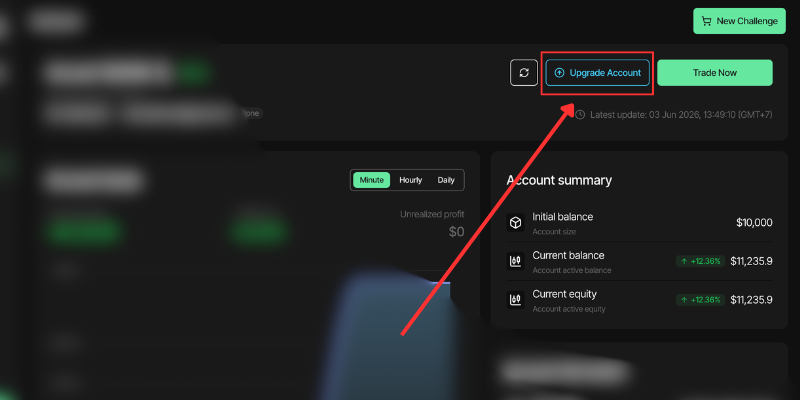
Follow the steps below:
- Go to https://app.x-funded.com
- Log in to your X-Funded account.
- Go to the account that has successfully passed the challenge.
- On the account dashboard, click the Upgrade Account button located in the top-right area, next to the Trade Now button.
- Follow the instructions shown on the dashboard to complete the account upgrade process.
After you click the Upgrade Account button, your current challenge account will be closed. Once the upgrade is processed, you will receive new credentials for your funded account.
Important:
The Upgrade Account button will only appear when your account has successfully met the challenge requirements. If you believe you have passed the challenge but cannot see the button, please contact XFunded Support for assistance.
